

4 min readNew DelhiMay 16, 2026 05:24 PM IST
Millions of Instagram users saw the platform introduce a new feature called ‘Instants’ this week. While the feature is designed for sharing spontaneous, disappearing photos, the new addition to the popular photo-sharing platform is yet to find widespread use. The tech giant has dubbed it a tool to share real-life moments, but not many are taking it. Some users are clearly finding ways to disable it, especially the ones that accidentally sent images to others without understanding how it actually works.
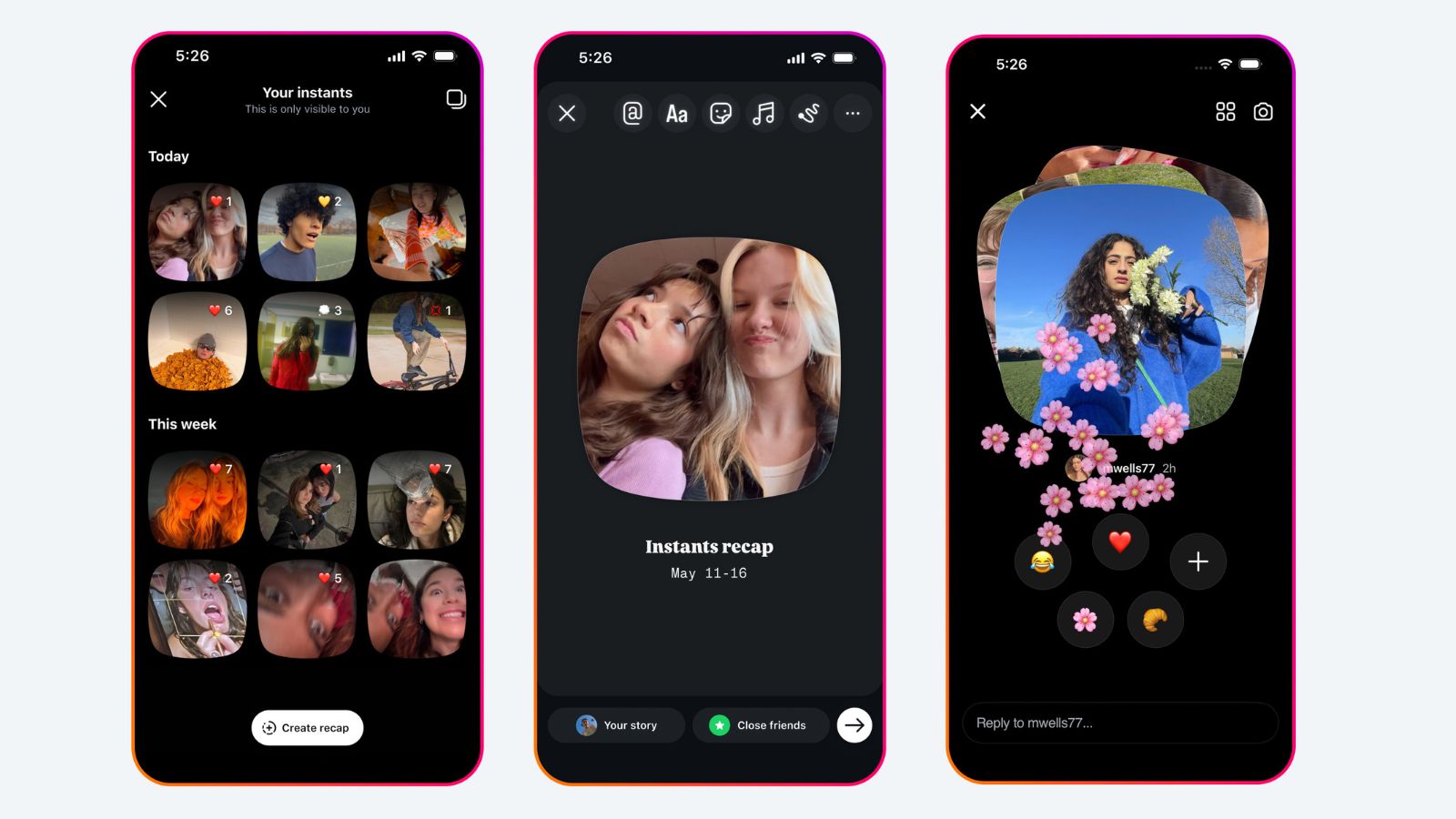
For the uninitiated, the Instants feature can be accessed by tapping on the tiny photo stack at the bottom right corner of the inbox. Upon clicking, it opens a short introduction about the feature. Users will not get a viewers list if they share images, and reactions and replies will remain private.

Upon accessing the feature, the first thing you notice is a stack of images shared by those who you follow; tapping further lets you move through posts by different users, and sliding it to the left or top will open your camera. With either the selfie camera or the main camera, you can instantly click a picture and share it.
The feature also allows you to decide who views your post – between ‘Friends’ and ‘Close Friends’. It needs to be noted that by default sharing is set to ‘Friends’, prompting one to practise caution. Also, Meta does not let first-time users know that the moment they click a picture, it is automatically sent to everyone on their friends list. Perhaps this could be a reason many are wanting to disable the feature altogether. This opaque process of instant capture and upload is leading to many users sharing pictures accidentally. Many users had not even realised that they had shared an image until they started getting reactions in their inbox.
But how do you turn it off?
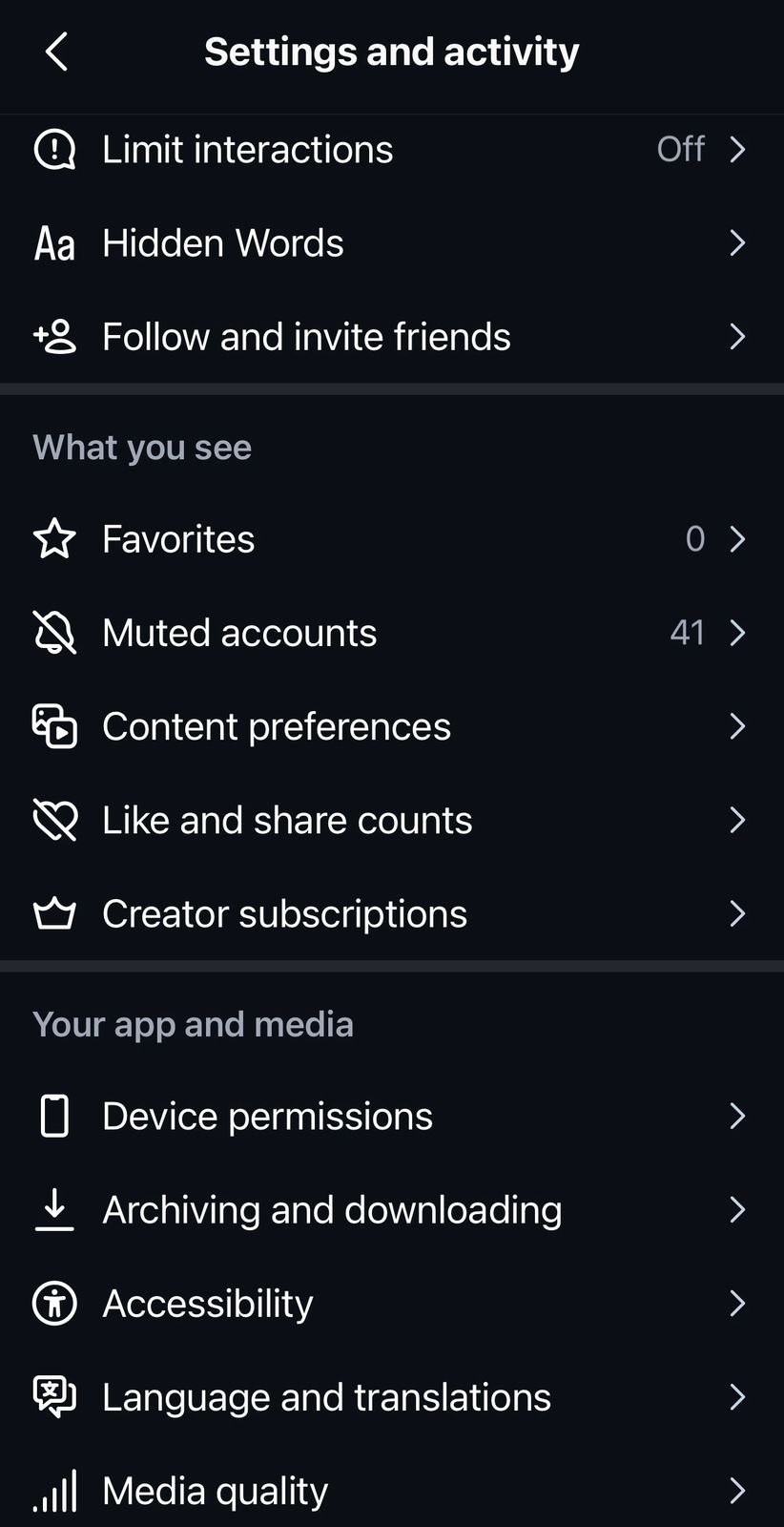
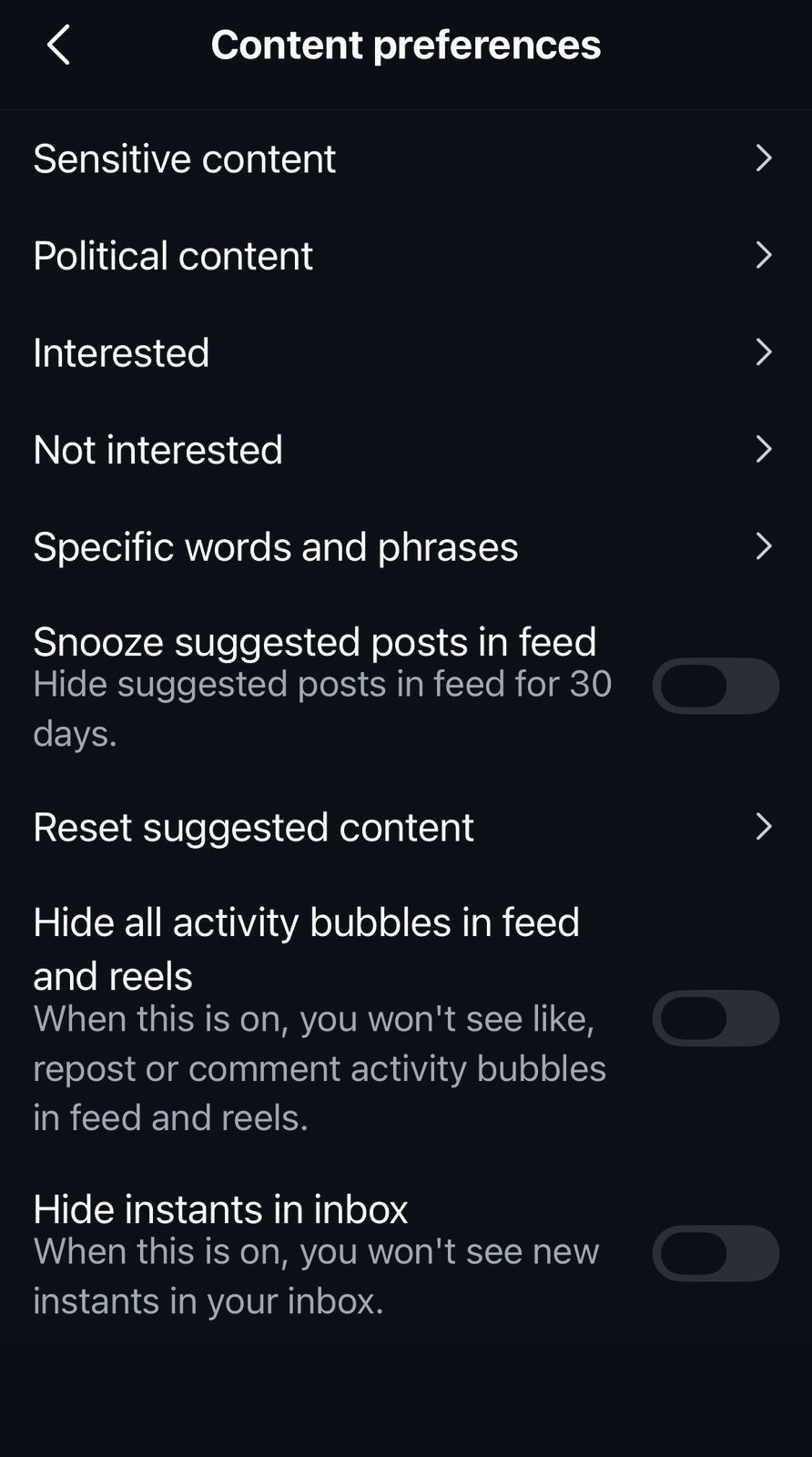
The process is fairly simple. Head to your profile, click on the menu (the three lines in the top right corner) to access Settings, and go to the Content Preferences option towards the bottom. Here you can see options to customise the content you see on your feed. At the bottom, toggle on the ‘Hide instants in inbox’ option to disable Instants.
 (Express Image)
 (Express Image)
And in case you want to undo a picture you accidentally clicked, you can simply tap on the ‘undo’ button under the shutter button. You would immediately see a checkmark followed by ‘Unshared’. If you want to see all your Instants, click on the tiny four-square button on the top right to view the archive, which will show all your Instants. You can also download and create a recap from your earlier posts, or even delete them.
Instagram introduced Instants on May 13 as a new way to share photos in the moment with close friends or mutual followers with a single tap. The photos shared on Instants disappear after they’ve been viewed and cannot be viewed after 24 hours. The platform also allows users to edit Instants before sharing. Besides, friends cannot screenshot or record instants when you share them. When it comes to safety and privacy, Meta said that all protections applicable on Instagram will apply to Instants. In-app controls such as Block, Mute, and Restrict will work on Instants too, allowing users to limit getting Instants from specific friends.
Story continues below this ad
On the other hand, for teens, Instants come integrated with Teen Accounts and the Family Centre. There is no separate setup, meaning if a parent is already supervising their teen on Instagram, that supervision will extend to Instants by default. Noteworthy safeguards include shared time limits, sleep mode, safety tools, and parent notification.
© IE Online Media Services Pvt Ltd